
Sure, can I remove a face from the smart lock's facial recognition database? Well, that's a question I get a lot as a supplier of Smart Lock with Facial Recognition. So, let's dive right into it and break down how this whole process works and why it might be a good idea to do so.
First off, let me tell you why you might want to remove a face from the database. Maybe you had a roommate move out, or an employee left your business. You wouldn't want them to have access to your place anymore, right? Or perhaps you're just feeling a bit paranoid about security and want to wipe the slate clean. Whatever the reason, it's definitely an option with our smart locks.
So, how do you actually go about removing a face? It's pretty straightforward, and the steps are a bit like a recipe. First, you'll need to access the smart lock's control panel. This can usually be done through a smartphone app or a keypad on the lock itself. Once you're in, look for the section that manages the facial recognition database – it's often labeled something like "Face List" or "User Profiles."
Once you're in the right section, you'll see a list of all the faces that have been registered in the database. Find the one you want to remove, and there should be an option to delete it. It's usually just a button that says "Delete" or something similar. Click that button, and boom! The face is gone from the database, and that person won't be able to unlock your door using facial recognition anymore.
Now, I know what you're thinking – is it really that simple? Well, yes and no. While the process itself is pretty easy, there are a few things you need to keep in mind. For one, make sure you're deleting the right face! Double - check the name or any other identifying information next to the face on the list. You don't want to accidentally lock out someone who still needs access.
Another thing to consider is that removing a face doesn't necessarily mean that the data is completely gone. Our smart locks are designed with security and privacy in mind, but there might still be some residual data stored in the system's cache or backup. However, we take every precaution to ensure that this data can't be used to access your property or identify individuals.
Let's talk a bit about the security implications of removing a face. When you remove a face from the database, you're effectively revoking that person's access to your home or business. This is a great way to maintain control over who can enter your premises. It's like changing the locks, but without the hassle of actually replacing the physical lock.


But what about if someone tries to hack into the database? Well, our 3D Face Recognition Door Lock and other models are built with state - of - the - art security features. We use advanced encryption algorithms to protect the facial data stored in the database. This means that even if someone manages to get access to the data, it'll be encrypted and useless to them.
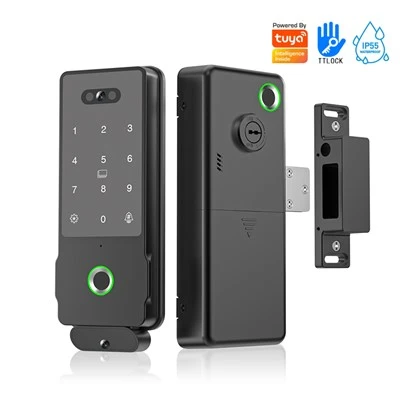
Now, I want to touch on the different types of smart locks we offer. We have a range of options, from the Residential Digital Fingerprint Lock to the 3D Face Smart Lock and the 3D Face Recognition Smart Sliding Door Lock. Each of these locks has its own set of features, but they all allow you to easily manage the facial recognition database.
If you're worried about false positives or negatives, don't be. Our smart locks use 3D facial recognition technology, which is much more accurate than traditional 2D systems. This means that the chances of someone being incorrectly recognized or denied access are very low.
In addition to the security benefits, removing a face from the database can also help with privacy. You might not want your facial data to be stored indefinitely, and removing it gives you more control over your personal information.
So, to sum it all up, yes, you can definitely remove a face from the smart lock's facial recognition database. It's a simple process that gives you more control over who can access your property and helps protect your privacy.
If you're in the market for a new smart lock or want to learn more about our products, we'd love to talk to you. Whether you're a homeowner looking to upgrade your security or a business owner in need of a reliable access control system, we've got the right solution for you. Reach out to us for a consultation and let's find the perfect smart lock for your needs.
References
- General knowledge on smart lock technology and security
- Product specifications of our smart lock range